How to Burn SPL Token or Raydium LP Token on Solmint
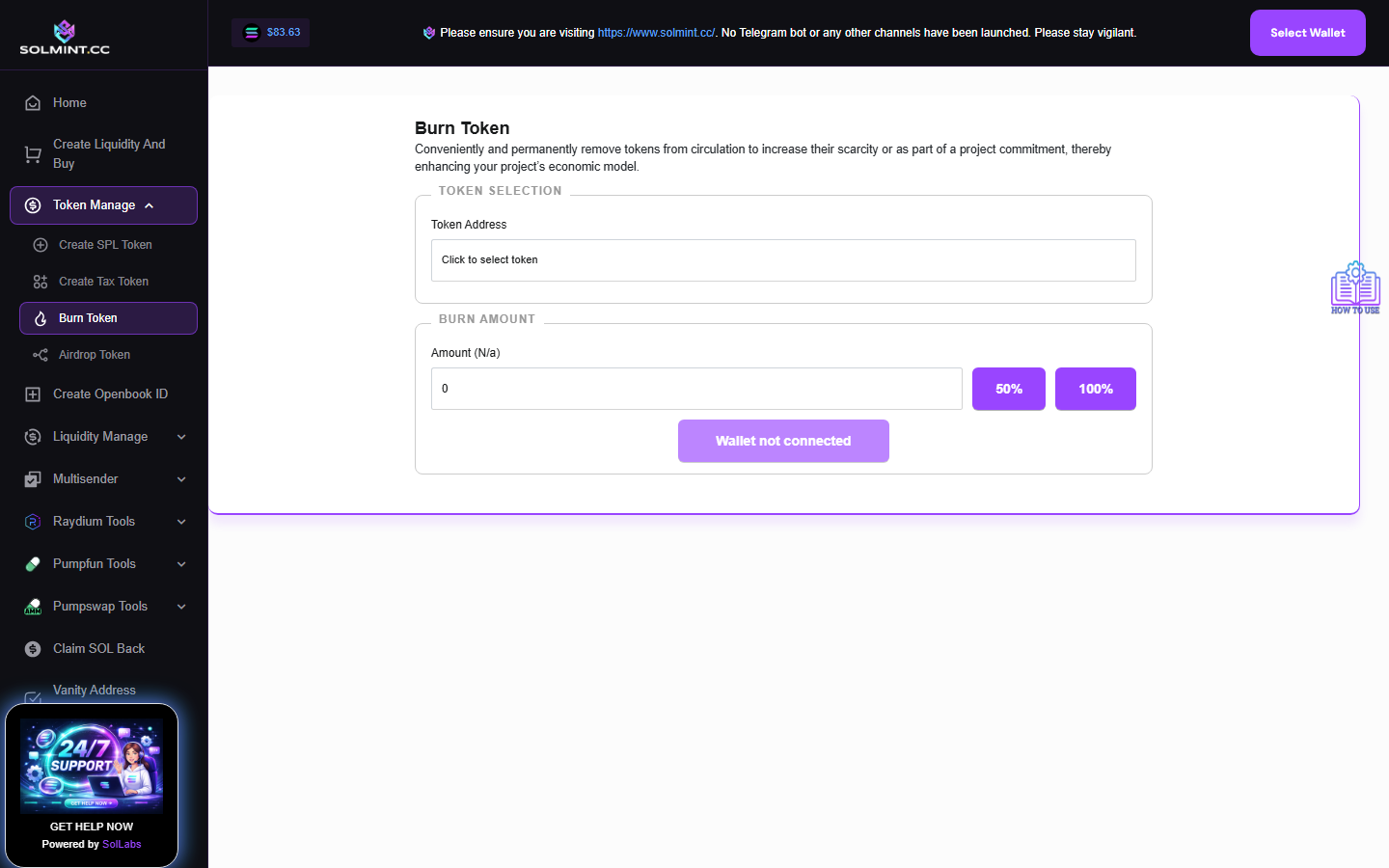
Permanently remove tokens (SPL or Token-2022) from circulation by burning them from your wallet. This reduces the total circulating supply and is irreversible. The same interface is also used to burn Raydium LP tokens.
How to Use
Step 1: Connect your Solana wallet.
Step 2: Under TOKEN SELECTION, click the dropdown field. The tool automatically loads all tokens in your wallet. Each token shows its type (SPL TOKEN / TAX TOKEN), logo, name, and balance. Click on the token you want to burn to select it.
Step 3: Under BURN AMOUNT, enter the quantity of tokens to burn in the Amount field. You can also click:
- "50%" button — automatically fills half of your available balance.
- "100%" button — automatically fills your entire balance.
Step 4: Click the "Burn Token" button.
Step 5: A confirmation dialog will appear: "You are about to burn [X] tokens. This action is PERMANENT and cannot be undone."
- Click "Confirm Burn" to proceed.
- Click "Cancel" to abort.
Step 6: Approve the transaction in your wallet popup.
Step 7: Wait for confirmation. A success notification will appear when complete.
⚠️ Notes
- Burning is IRREVERSIBLE — tokens are permanently destroyed.
- Service fee: ~0.001 SOL (Jito tip + network fee).
- The tool supports both standard SPL tokens and Token-2022 (tax) tokens.
- Excluded from the token list (cannot be burned here): USDC, USDT, wSOL.
- Make sure you have a small amount of SOL (at least 0.005 SOL) to cover fees.
- The burn transaction is sent via Jito bundle for fast confirmation.