How to Wrap and Unwrap SOL (SOL ↔ wSOL) on Solmint
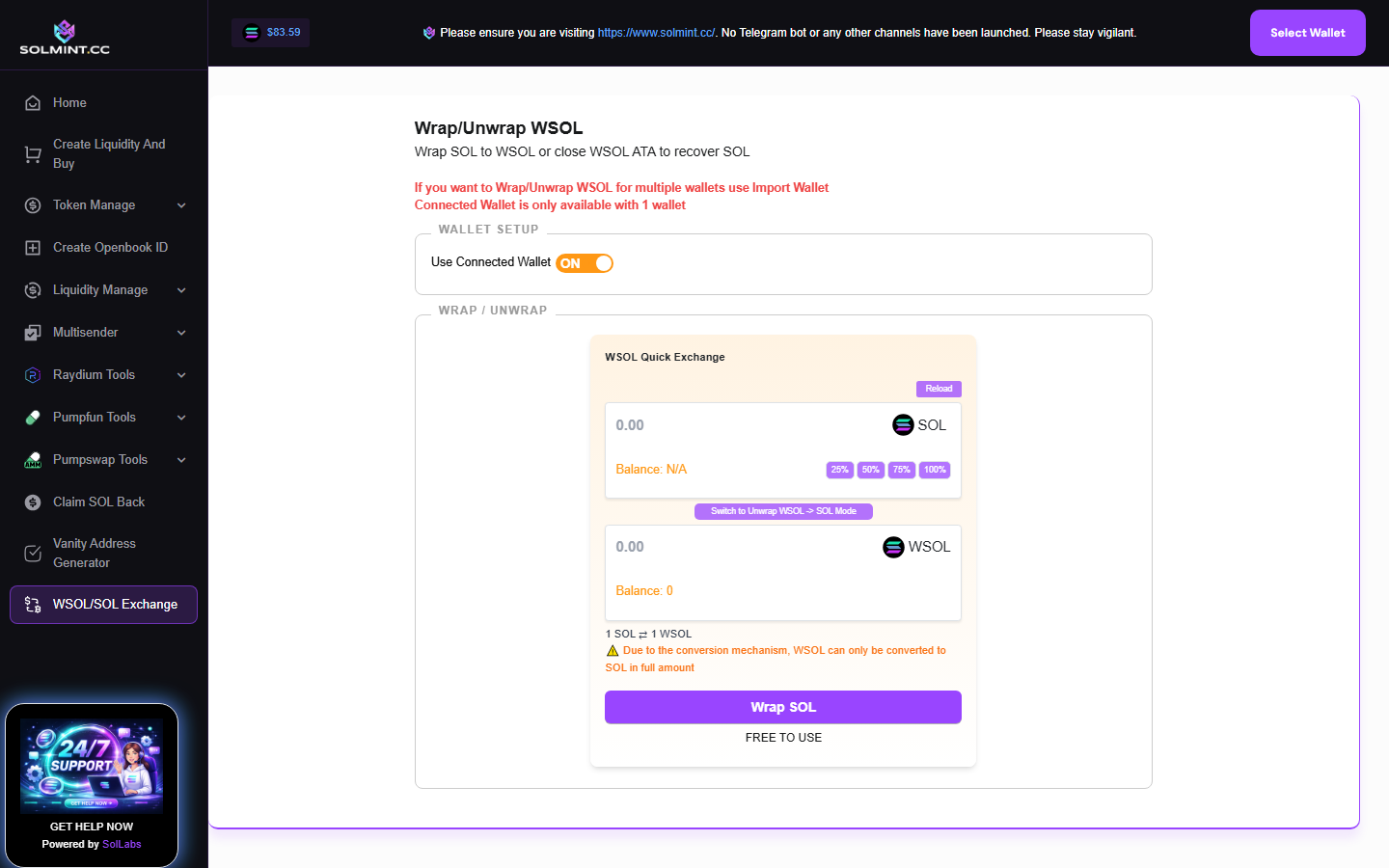
Convert SOL to wSOL (Wrapped SOL) or wSOL back to native SOL for one or multiple wallets. Supports both connected wallet mode (browser wallet) and private key import mode (for batch wrapping/unwrapping across multiple wallets).
How to Use
Mode 1: Connected Wallet (single wallet)
Step 1: Connect your Solana wallet. Your SOL balance and current wSOL balance are displayed automatically.
Step 2: To WRAP SOL → wSOL: Make sure "Wrap" mode is selected (default). Enter the amount of SOL to wrap. Use the percentage buttons (25%, 50%, 75%, 100%). Click "Wrap SOL" and approve the transaction in your wallet.
Step 3: To UNWRAP wSOL → SOL: Toggle to "Unwrap" mode. Click "Unwrap SOL" and approve the transaction. All wSOL is automatically converted back to SOL and the wSOL token account is closed (rent is recovered).
Mode 2: Private Key Import (multiple wallets)
Step 1: Toggle to "Private Key" mode using the wallet mode switch.
Step 2: Paste one or more base58 private keys in the textarea (one per line).
Step 3: Click "Import Wallets". Each wallet's public key, SOL balance, and wSOL balance are displayed.
Step 4: For wrapping: enter the SOL amount to wrap for each wallet in the table.
Step 5: Click "Wrap All" to process all wallets in batches.
Step 6: For unwrapping: click "Unwrap All" to close all wSOL accounts across all wallets.
Step 7: Wait for all transactions to confirm. Results (success/fail) are shown with Solscan links.
⚠️ Notes
- Wrapping cost: ~0.002039 SOL rent for creating the wSOL ATA (if it doesn't exist) + ~0.000005 SOL tx fee. The ATA rent is fully returned when you unwrap.
- Unwrapping: Closing the wSOL ATA returns the ~0.002039 SOL rent back to your wallet.
- wSOL is required by many DeFi protocols on Solana that don't accept native SOL directly.
- In private key mode, keys are processed locally — never sent to any server.
- Transactions are sent directly to the Solana RPC (not via Jito bundle) for this tool.