How to Use PumpSwap Volume Maker on Solmint
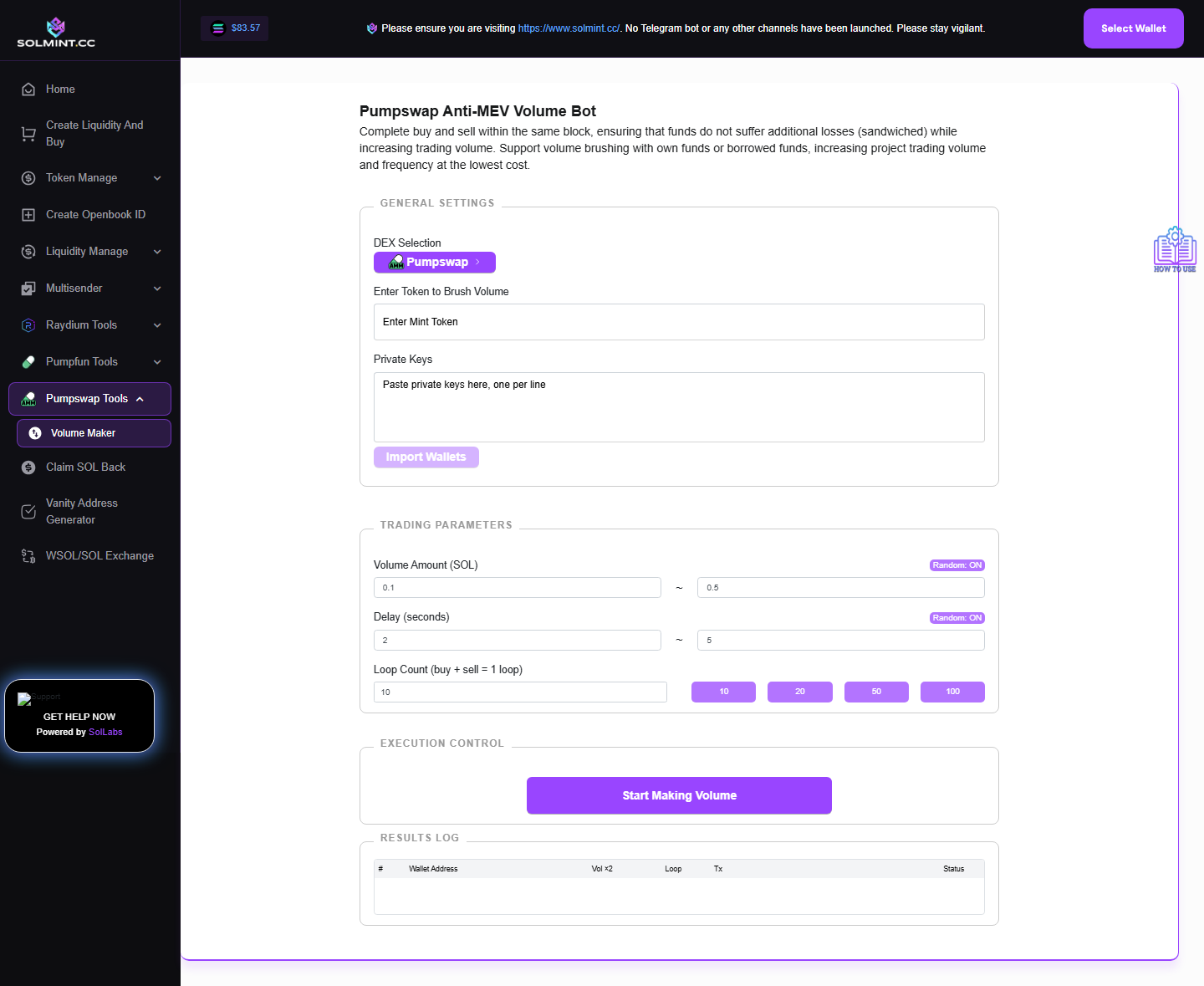
Generate trading volume for a PumpSwap pool by running buy-then-sell loops across multiple wallets. PumpSwap is Pump.fun's native AMM (similar to Raydium CPMM). NOTE: Amounts are configured in TOKEN units (not SOL), unlike the other volume makers.
How to Use
Step 1: Under WALLET SETUP, paste private keys (base58, one per line) in the textarea. Click "Import Wallets" to validate and load them. Wallet table shows: public key, SOL balance, token balance. Use "Reload Balances" to update on-chain data.
Step 2: Enter the Token Mint Address. The tool fetches and displays the token name, symbol, and image.
Step 3: Configure Trade Amount (in TOKEN units, not SOL):
- Random Amount (default ON): Set Min Token Amount and Max Token Amount per trade.
- Fixed Amount (toggle OFF): Set a single token amount per trade.
Step 4: Configure Loop Count: Enter how many buy-sell cycles each wallet should perform.
Step 5: Configure Delay Between Loops:
- Random Delay (default ON): Set Min Delay and Max Delay in seconds.
- Fixed Delay (toggle OFF): Set a single delay in seconds.
Step 6: Click "Start Making Volume For Pumpswap Pool". A live transaction log shows each trade's status.
Step 7: Monitor progress. Click "Stop" at any time to halt the bot.
⚠️ Notes
- ⚠️ IMPORTANT: Trade amounts are specified in TOKEN units, not SOL — be careful with decimal precision when entering amounts.
- No platform service fee — only PumpSwap trading fees and Solana network fees.
- Each wallet must hold sufficient tokens to sell, and sufficient SOL to buy.
- Private keys are used locally — never sent to any server.
- Switch to Raydium or Pumpfun volume maker using the DEX selector button.