How to Create a Raydium AMM v4 Liquidity Pool on Solmint
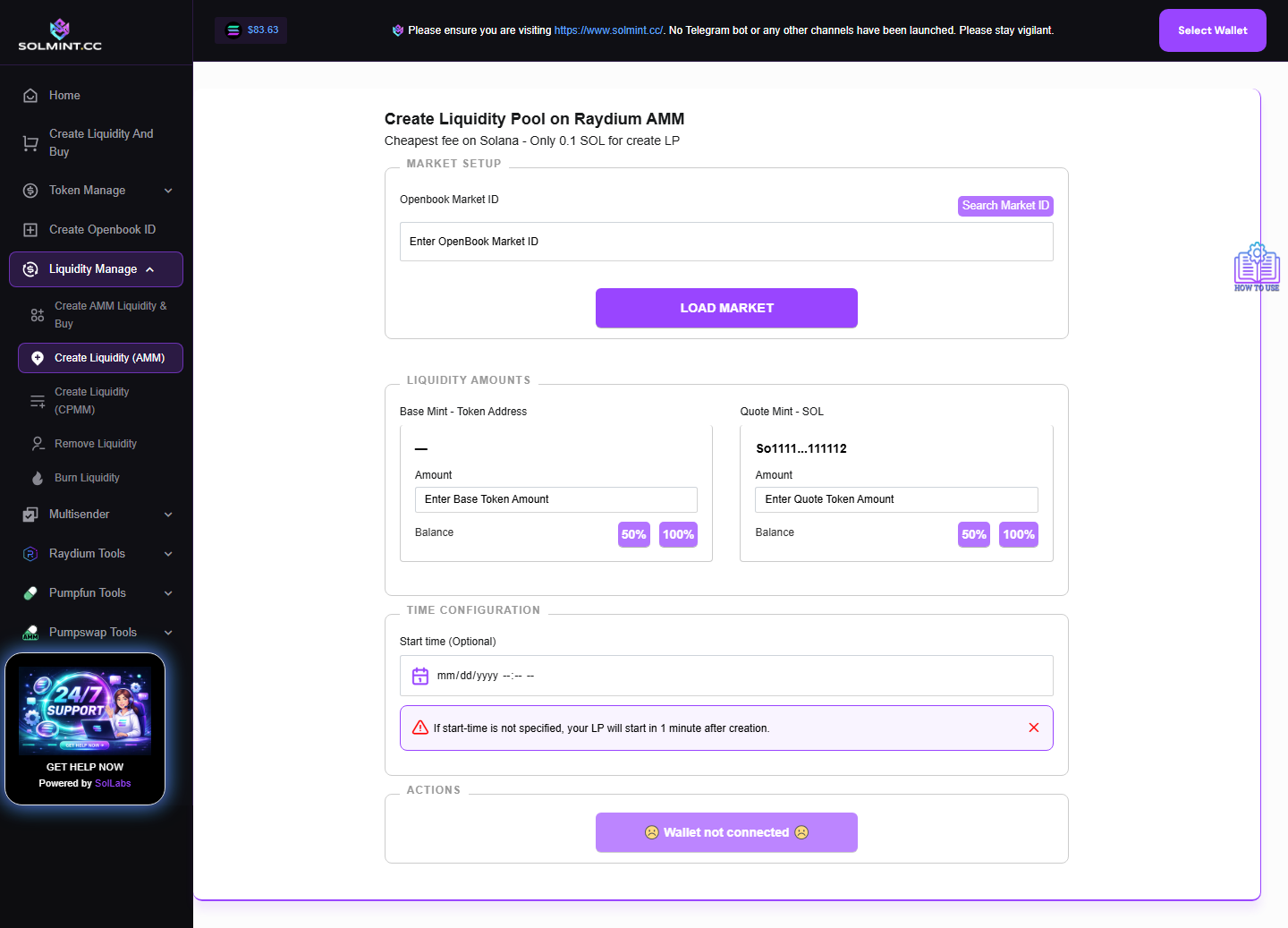
Create a standard Raydium AMM v4 liquidity pool for your token paired with SOL. Requires a pre-existing OpenBook Market ID. This is the classic Raydium pool used by most Solana tokens. No bundled buy — pure LP creation only.
How to Use
Step 1: Connect your Solana wallet.
Step 2: Under MARKET SETUP, enter your OpenBook Market ID in the input field. Optionally use "Find Market" to search by token address. Click "Load Market Info" to validate and load your token/SOL balances.
Step 3: Under LIQUIDITY AMOUNTS, enter how much to add to the pool:
- Base Token Amount: Enter the number of tokens to deposit. Use "50%" or "100%" shortcut buttons.
- SOL Amount: Enter the amount of SOL to pair. Use "50%" or "100%" shortcut buttons (note: ~0.7 SOL reserved for fees).
Step 4: Under TIME CONFIGURATION: Choose a date and time for when the pool becomes tradeable. If left blank, defaults to approximately 90 seconds after transaction submission.
Step 5: Click the "Create Liquidity Pool" button.
Step 6: Approve the transaction(s) in your wallet.
Step 7: Wait for confirmation. A success notification with tx ID will appear.
⚠️ Notes
- Service fee: 0.1 SOL (platform fee) + Raydium pool account rent (~0.4 SOL) + Jito tip. Total: ~0.5–0.6 SOL.
- An OpenBook Market ID is REQUIRED. Create one first at /create-openbook.
- You must hold both the base token and SOL in the connected wallet.
- The LP tokens (representing your pool share) are sent to your wallet after creation.
- Setting a future start time allows you to list the token while delaying actual trading.
- Transactions are sent via Jito bundle.