How to Use Pump.fun Volume Maker on Solmint
Generate trading volume for a Pump.fun token by running buy-then-sell loops across multiple wallets. Each wallet performs a configurable number of buy-sell cycles on the Pump.fun bonding curve with randomized or fixed SOL amounts.
How to Use
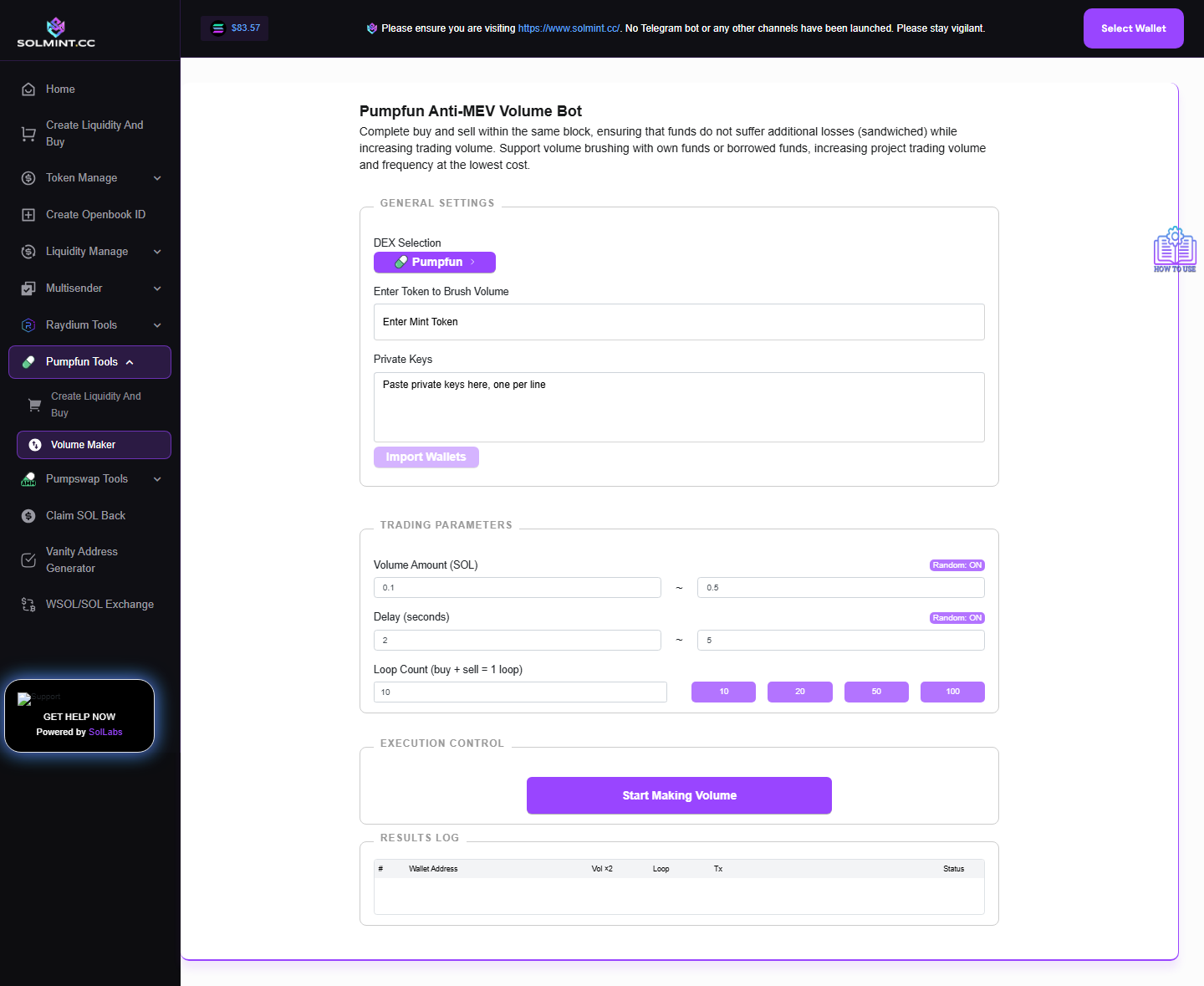
Step 1: Under WALLET SETUP, paste private keys (base58, one per line) in the textarea. Click "Import Wallets" to validate and load them. Up to 20 wallets can be added per session. Wallet table shows: public key, SOL balance, token balance. Use "Reload Balances" to refresh on-chain data.
Step 2: Enter the Token Mint Address in the TOKEN MINT field. Paste the Pump.fun token's contract address. The tool fetches and displays the token name, symbol, and image.
Step 3: Configure Trade Amount:
- Random Amount mode (default ON): Set Min Amount and Max Amount in SOL.
- Fixed Amount mode (toggle OFF): Set a single SOL value per trade.
Step 4: Configure Loop Count: Enter how many buy-sell cycles each wallet should perform.
Step 5: Configure Delay Between Loops:
- Random Delay (default ON): Set Min Delay and Max Delay in seconds.
- Fixed Delay (toggle OFF): Set a single delay value in seconds.
Step 6: Click "Start Making Volume For Pumpfun Pool". A live transaction log shows each trade's status with Solscan links.
Step 7: Monitor progress. Click "Stop" at any time to halt the bot.
⚠️ Notes
- No platform service fee — only Pump.fun trading fees (~1% per swap) and Solana network fees per transaction.
- Each wallet must have enough SOL for all planned buys + transaction fees.
- Tokens are sold back immediately after each buy (buy-sell within the same loop cycle).
- Private keys are used locally — never sent to any server.
- Maximum 20 wallets simultaneously.
- Switch to Raydium or PumpSwap volume maker using the DEX selector button.