Tutorials
How to Remove Raydium Liquidity Pool (Withdraw All Liquidity) on Solmint
AdminAugust 8, 20253 min read
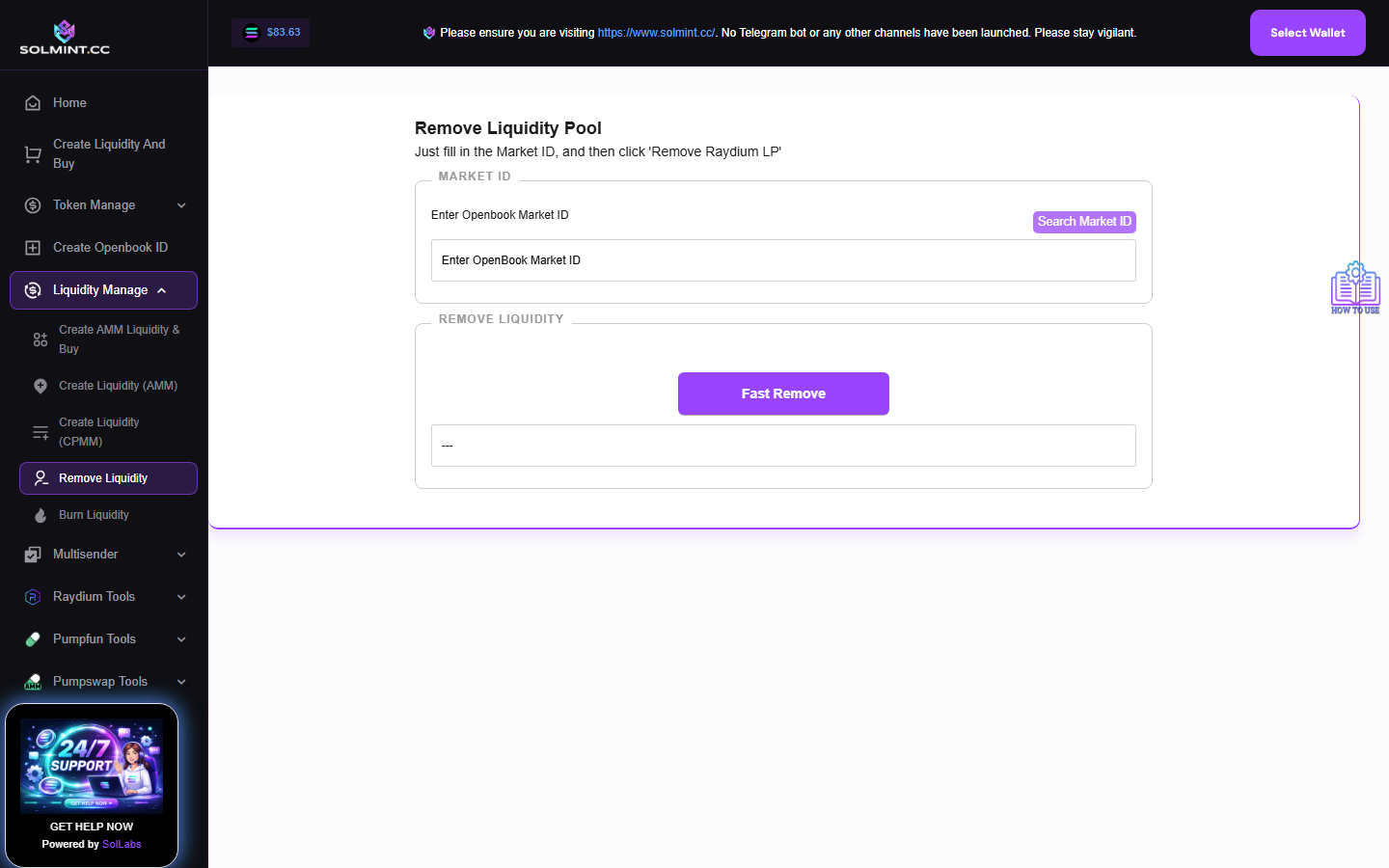
Remove 100% of liquidity from a Raydium AMM v4 pool in one click using the OpenBook Market ID. This withdraws all tokens and SOL back to your wallet and destroys the LP tokens.
How to Use
Step 1: Connect your Solana wallet (must be the wallet that holds the LP tokens).
Step 2: Under MARKET SETUP, enter the OpenBook Market ID of the pool. Type or paste the Market ID directly. Optionally use the "Find Market" search tool to find the Market ID by entering your token address.
Step 3: Click the "FAST REMOVE RAYDIUM LP" button.
Step 4: Approve all required transactions in your wallet popup.
Step 5: Wait for confirmation. A success notification will appear. Your tokens and SOL will be returned to your wallet.
⚠️ Notes
- Service fee: 0.1 SOL (platform fee) + Jito tip (~0.001 SOL). Make sure you have at least 0.15 SOL for fees.
- This removes ALL liquidity at once — there is no partial removal option.
- After removal, the LP tokens in your wallet are burned automatically.
- Only the wallet that holds LP tokens can remove them.
- If you want to permanently burn LP tokens separately, use the Burn Raydium LP tool.