How to Consolidate SOL from Multiple Wallets on Solmint
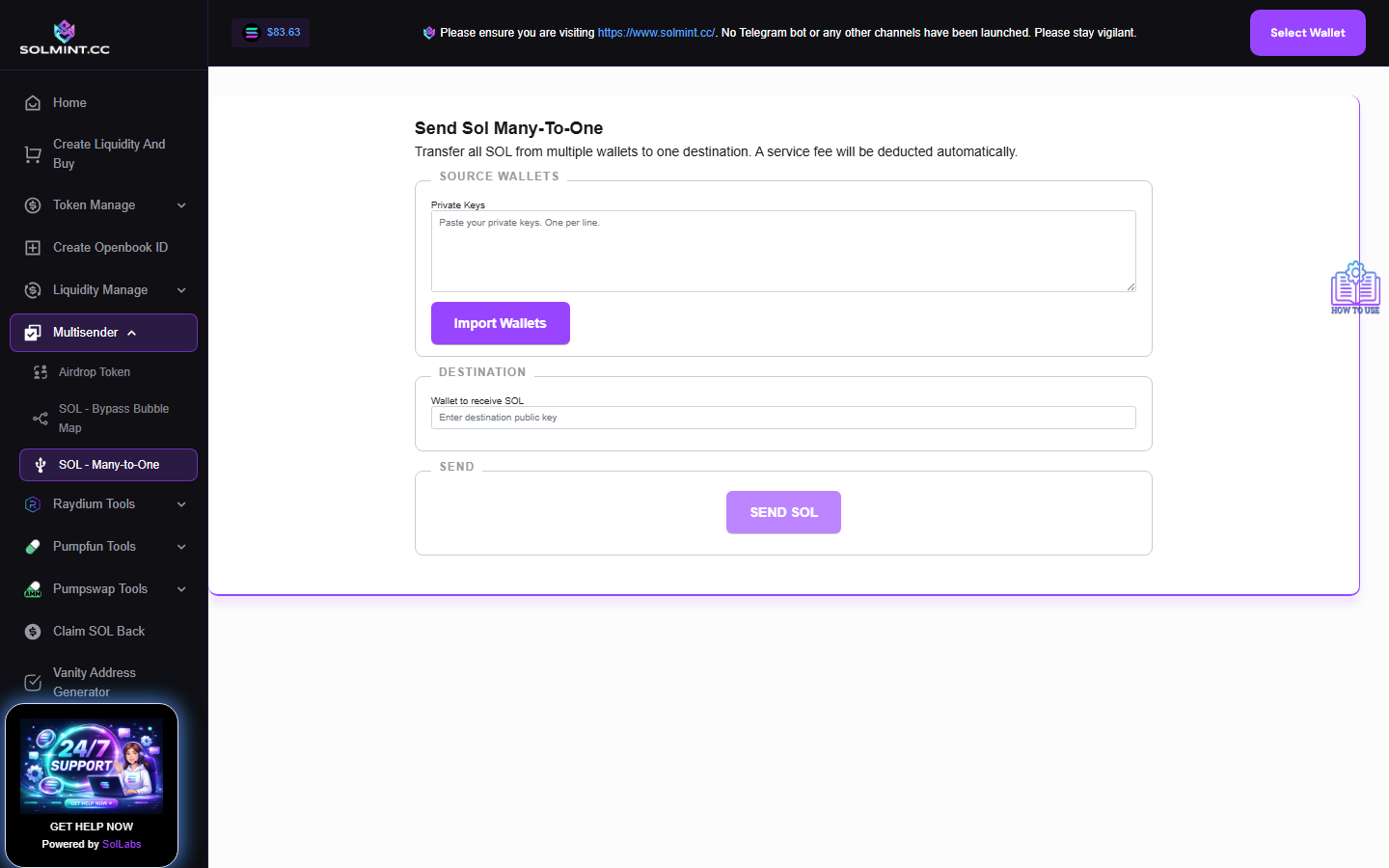
Consolidate SOL from multiple wallets into a single destination wallet. Import any number of private keys, preview their balances, then send all SOL to one address in batched transactions. No browser wallet connection required.
How to Use
Step 1: In the PRIVATE KEYS input area, paste the private keys (base58 format) of the wallets you want to drain, one per line.
Step 2: Click the "Import Wallets" button. The tool validates each private key and fetches each wallet's public key and current SOL balance. A table is shown with each wallet's address and balance. Wallets with invalid keys are logged as errors and skipped.
Step 3: (Optional) Remove any wallets you don't want to include by clicking "X" next to them in the table.
Step 4: Enter the Destination Wallet Address (public key) — the wallet that will receive all the SOL.
Step 5: Click the "SEND SOL" button to initiate the transfer.
Step 6: Wait for all batches to complete. Each batch processes up to 10 wallets. Success and failure notifications are shown.
⚠️ Notes
- Service fee: 0.05 SOL per wallet (platform fee deducted from each source wallet's transfer). The remaining balance after fee is sent to the destination.
- Solana base transaction fee: ~0.000005 SOL per transaction.
- If a wallet's balance is less than the platform fee + tx fee, it will be skipped.
- Private keys are processed entirely in your browser — they are never uploaded to any server.
- Transactions are sent directly to the Solana network (not via Jito bundle).
- Batches of 10 wallets are processed per transaction for efficiency.